
Download Clipchamp – Free Online Video Editor for Windows, Mac, Android & iOS
Overview – What is Clipchamp and Who Is It For?
Clipchamp is Microsoft’s browser‑based video editing solution that lets anyone create, trim, and polish videos without installing heavyweight software. Because it runs entirely in a web browser, Clipchamp works on any device that can access the internet – from Windows 10 laptops and macOS desktops to Android tablets and iOS smartphones. The platform is built around a clean, modern interface that feels familiar to users of traditional desktop editors such as Filmora or CyberLink PowerDirector 365, yet it removes the barrier of downloading large installer files.
Whether you’re a teacher preparing a classroom presentation, a social‑media manager crafting short reels, a small business owner producing product demos, or a hobbyist compiling family memories, Clipchamp gives you a versatile toolbox that scales from simple cuts to more advanced color‑grading and audio‑mixing. The free tier offers unlimited projects, basic transitions, and export up to 480 p SD, which is sufficient for quick uploads to platforms that compress video anyway. For creators who need higher‑resolution output, cloud backup, and branding options, a paid subscription unlocks 1080 p Full HD and beyond.
In short, Clipchamp’s biggest selling point is its cross‑platform accessibility: you can start a project on a Windows PC at work, continue editing on a Mac at home, and finish the final export from an Android phone while on the go, all without losing any assets or settings.
Feature Deep‑Dive – Core Tools That Make Clipchamp Stand Out
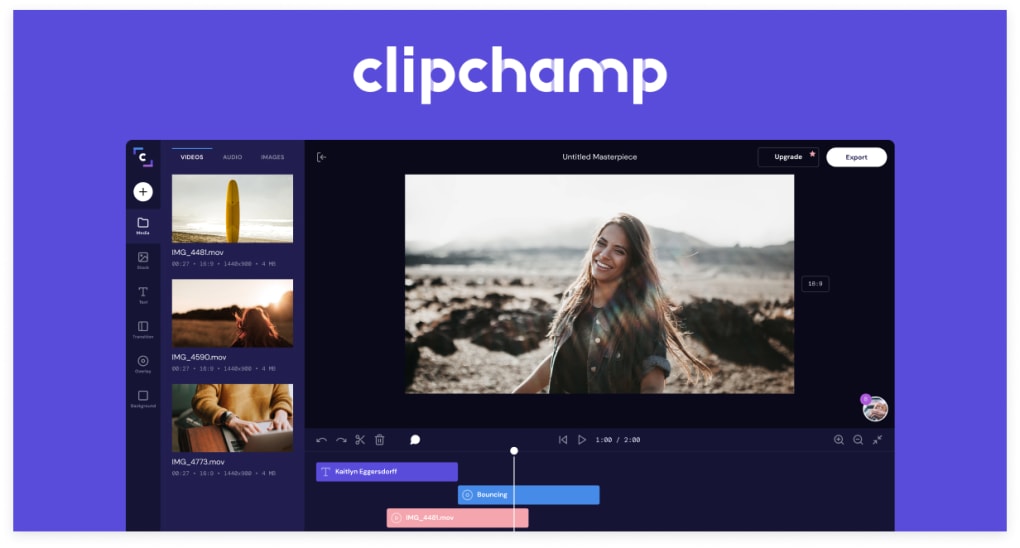
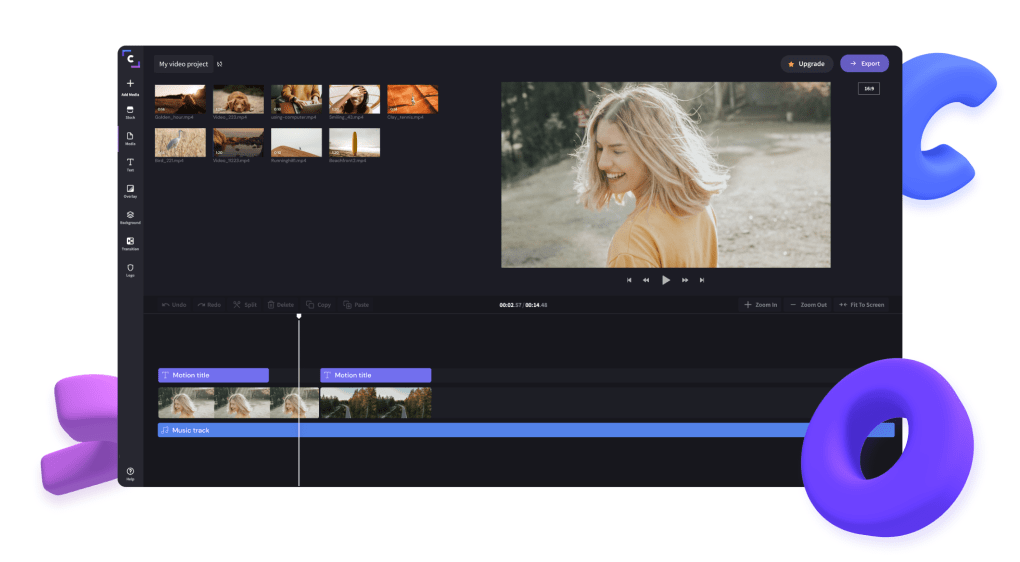
- Drag‑and‑Drop Timeline: Arrange clips, images, and audio tracks intuitively; the timeline supports multi‑track editing for more complex projects.
- Basic Editing Suite: Trim, split, crop, rotate, and flip video clips in seconds, with real‑time preview so you never guess the outcome.
- Rich Media Library: Access a built‑in collection of royalty‑free stock footage, music, and sound effects, plus the ability to upload your own assets.
- Filters & Effects: Apply cinematic color presets, glitch overlays, and motion graphics; fine‑tune brightness, contrast, saturation, and hue with a simple slider interface.
- Text & Titles: Choose from animated title templates, lower thirds, and caption styles; customize font, size, color, and animation timing.
- Audio Tools: Add background music, voice‑over recordings, and sound effects; built‑in audio ducking automatically lowers music when speech is detected.
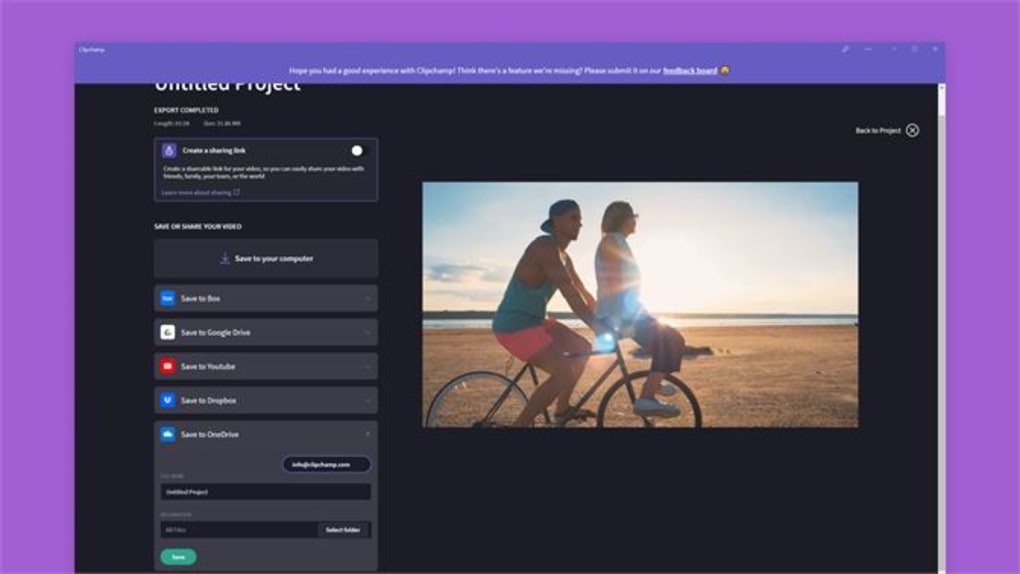
- Export Options: Export directly to YouTube, Vimeo, or Facebook, or download as MP4, MOV, or GIF; choose resolution, frame rate, and quality settings.
- Collaboration & Cloud Backup (Premium): Store projects securely in the cloud, share edit links with teammates, and restore previous versions with a single click.
- Branding Suite (Premium): Add custom logos, watermarks, and color palettes to keep every video on‑brand without extra effort.
- Templates for Quick Start: Choose from hundreds of pre‑designed video templates for marketing, education, and social media; just replace placeholders with your content.
Each of these features is designed to keep the learning curve shallow while still offering depth for power users. For example, the filter library includes both one‑click looks and granular controls, letting novices achieve a polished aesthetic instantly while giving experienced editors the flexibility to fine‑tune each parameter. The cloud backup and collaboration tools are only available to premium subscribers, but they address a common pain point for remote teams that need to share large video files without resorting to external file‑transfer services. Overall, Clipchamp packs a surprisingly robust feature set into a web‑app that feels lightweight, fast, and responsive.
Getting Started: Installation, Browser Setup, and Platform Compatibility
Clipchamp runs on any modern web browser that supports HTML5, WebGL, and the MediaSource Extensions API. This includes Google Chrome, Microsoft Edge, Mozilla Firefox, and Safari on desktop operating systems (Windows 10/11, macOS 10.15+). On mobile, the same web app works in Chrome for Android and Safari for iOS, though the mobile experience is optimized for portrait video creation and may hide some advanced desktop controls.
Because Clipchamp is a cloud‑based service, there is no traditional “installation” process. To start editing, simply visit clipchamp.com, create a free Microsoft account (or sign in with an existing Outlook/Hotmail account), and you’ll be taken straight to the dashboard. The first time you launch the editor, the browser will request permission to access your local files and microphone – these permissions are essential for uploading media and recording voice‑overs. If you plan to use the premium features, you’ll be prompted to enter payment details after selecting a subscription plan; the upgrade is handled securely through Microsoft’s billing system.
For users who prefer a more desktop‑like experience, Clipchamp also offers a progressive web app (PWA) that can be “installed” from the browser. In Chrome, click the install icon in the address bar, and the app will appear as a standalone window with its own icon on the taskbar or dock. This PWA behaves like a native app, providing faster launch times and offline caching of the UI (though video editing still requires an internet connection for asset storage and export). When you switch between devices, all your projects are synced automatically, so you can pick up right where you left off. The only technical limitation to be aware of is the free tier’s export resolution cap at 480 p; for 1080 p or higher, you’ll need to upgrade to the premium plan.
Pros, Cons, and Real‑World Verdict
Pros
- Completely web‑based – no heavy downloads or installations required.
- Cross‑platform support: works on Windows, macOS, Android, and iOS browsers.
- Intuitive drag‑and‑drop UI that’s friendly for beginners.
- Rich library of stock media, templates, and effects included at no extra cost.
- Seamless integration with Microsoft ecosystem (OneDrive, Teams, Outlook).
- Premium subscription unlocks cloud backup, higher‑resolution exports, and custom branding.
- Free tier sufficient for basic social‑media clips and educational videos.
Cons
- Free version limits export resolution to 480 p, which may be too low for professional use.
- Requires a stable internet connection; large projects can be slow on weak networks.
- Advanced desktop‑only features (e.g., multi‑camera editing, advanced keyframing) are missing.
- Some premium assets (premium stock footage, certain transitions) are locked behind a paywall.
- Performance can vary between browsers; Chrome delivers the smoothest experience.
Overall, Clipchamp offers a compelling balance of accessibility and functionality. Its web‑first approach democratizes video editing, making it an excellent choice for students, marketers, and small businesses that need a fast, reliable tool without the overhead of traditional software. While the free tier’s resolution cap is a notable drawback, the affordable premium upgrade removes that limitation and adds valuable cloud‑based collaboration tools. For anyone looking to produce quality video content on the fly—especially across multiple devices—Clipchamp is definitely worth a try.
Frequently Asked Questions
Is Clipchamp really free to use?
Yes, Clipchamp offers a free tier that includes unlimited projects, basic editing tools, a stock media library, and export up to 480 p SD. Premium features such as 1080 p export, cloud backup, and custom branding require a paid subscription.
Do I need a Microsoft account to use Clipchamp?
A Microsoft account (Outlook, Hotmail, or Xbox Live) is required for sign‑in. This allows Clipchamp to sync projects across devices and provides access to Microsoft’s secure billing system for premium upgrades.
Can I edit videos offline?
Clipchamp’s core editing functions rely on an internet connection because assets and project data are stored in the cloud. The progressive web app can cache the UI, but you still need connectivity to load media and export videos.
What browsers are officially supported?
Clipchamp runs best on the latest versions of Google Chrome, Microsoft Edge, Mozilla Firefox, and Safari. Chrome typically offers the smoothest performance due to its advanced WebGL support.
How does the premium subscription pricing work?
The premium plan is billed monthly at $9.99 USD (or annually at $99.99 USD for a discount). It unlocks 1080 p export, cloud project storage, custom branding, and access to premium stock assets.
Conclusion – Should You Download Clipchamp Today?
If you need a versatile, browser‑based video editor that works on any device, Clipchamp is one of the few solutions that delivers on that promise without compromising on usability. Its free tier is generous enough for casual creators, while the reasonably priced premium upgrade removes the resolution ceiling and adds collaboration tools that small teams will appreciate. Because the platform is backed by Microsoft, you can expect regular updates, solid security, and integration with other Microsoft services. To start editing right now, simply visit clipchamp.com, sign in with your Microsoft account, and begin creating videos that look professional without the hassle of traditional software. Download Clipchamp today and turn your ideas into polished video content—fast, secure, and across any platform.



.png)



